“Knockio CRM is now LIVE”. LEARN MORE

Field Service CRM Software for Busy Service Teams

Never lose a service request or miss a follow up again. Knockio is a field service CRM that also works as field service management software for teams that need scheduling, dispatch, work orders, and invoicing in one place. It is built for teams that want fewer delays and more completed jobs every week.

Schedule a Demo

Best Field Service CRM Software 2026

Knockio helps field teams stay on time and stay organized from the first call to the final invoice. It gives you one place for work orders, job schedules, technician updates, customer history, and service billing so your team can finish more jobs with less confusion. You can also reduce missed appointments and improve customer trust by keeping every detail saved.

Faster Job Completion

Finish more service jobs faster using clear job stages, technician checklists, parts notes, and instant updates that reduce rework, delays, and repeat visits every day.

Stronger Customer Updates

Send better updates through logged messages, appointment windows, arrival alerts, and follow-up notes so customers feel informed, trust the crew, and approve work faster.

Better Team Coordination

Keep office and field teams aligned with shared schedules, dispatch notes, role-based access, and real time status so everyone knows next steps and priorities.

Clear Performance Insights

Track key service metrics like response time, job duration, close rate, and revenue per technician using dashboards that highlight bottlenecks and coaching opportunities, and weekly reports.

Higher Technician Productivity

Help technicians work smoothly with mobile job details, customer history, required photos, signature capture, and smart reminders that cut searching, calls, and manual entry time.

Lower Operational Waste

Reduce wasted drive time and repeat returns with optimized routes, proximity-based job preference, inventory notes, and accurate ETAs that lower fuel costs and overtime.
Reduce Missed Appointments & Complete More JobsGrowth

Run Every Service Job in One Connected Workflow

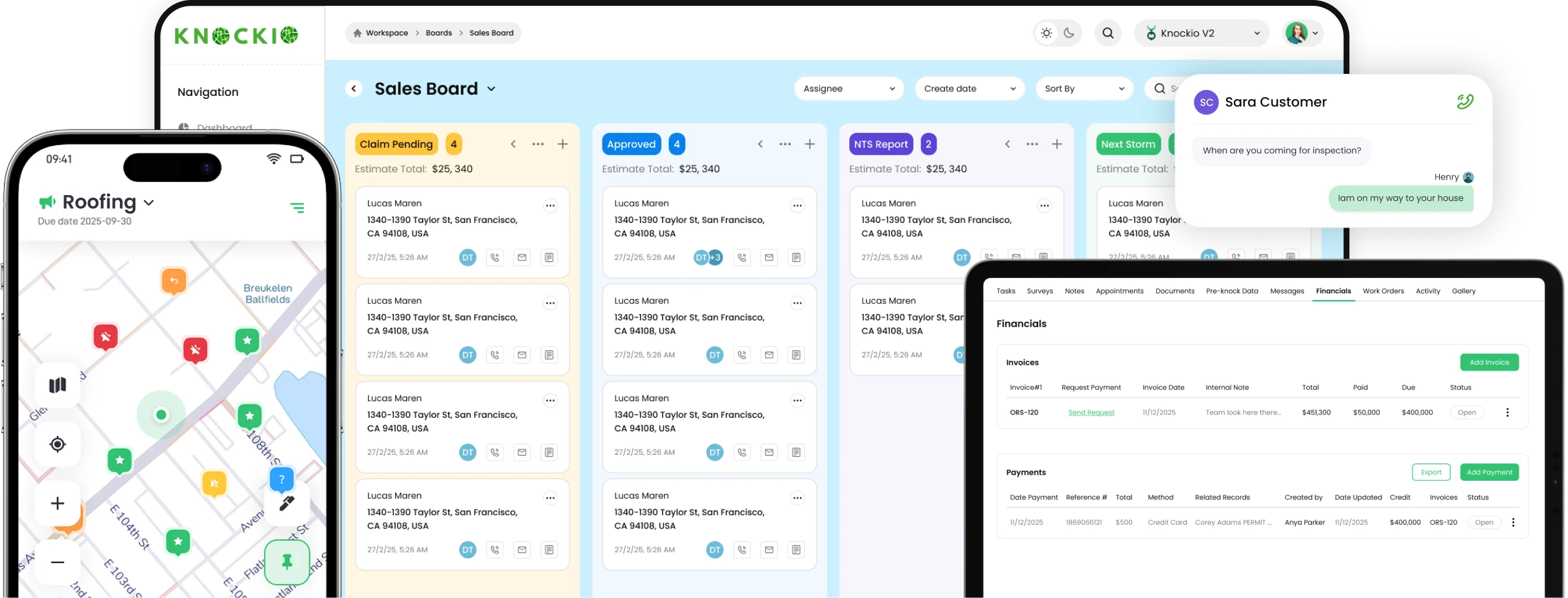
Knockio keeps your field service workflow simple and reliable. You can capture requests, assign the right technician, track job progress, store photos and notes, and send invoices without switching between tools. This helps your office team and field team stay on the same page.

Contact Records

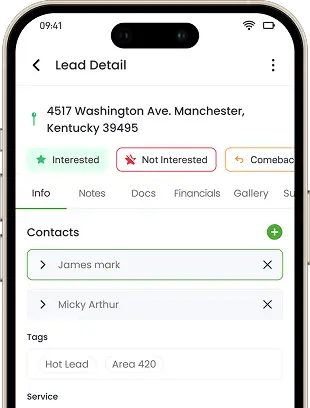
Keep contact management simple with customer profiles, site addresses, service history, and tasks. Share records across office staff and technicians, so everyone sees the same details before arriving today.

Product Management

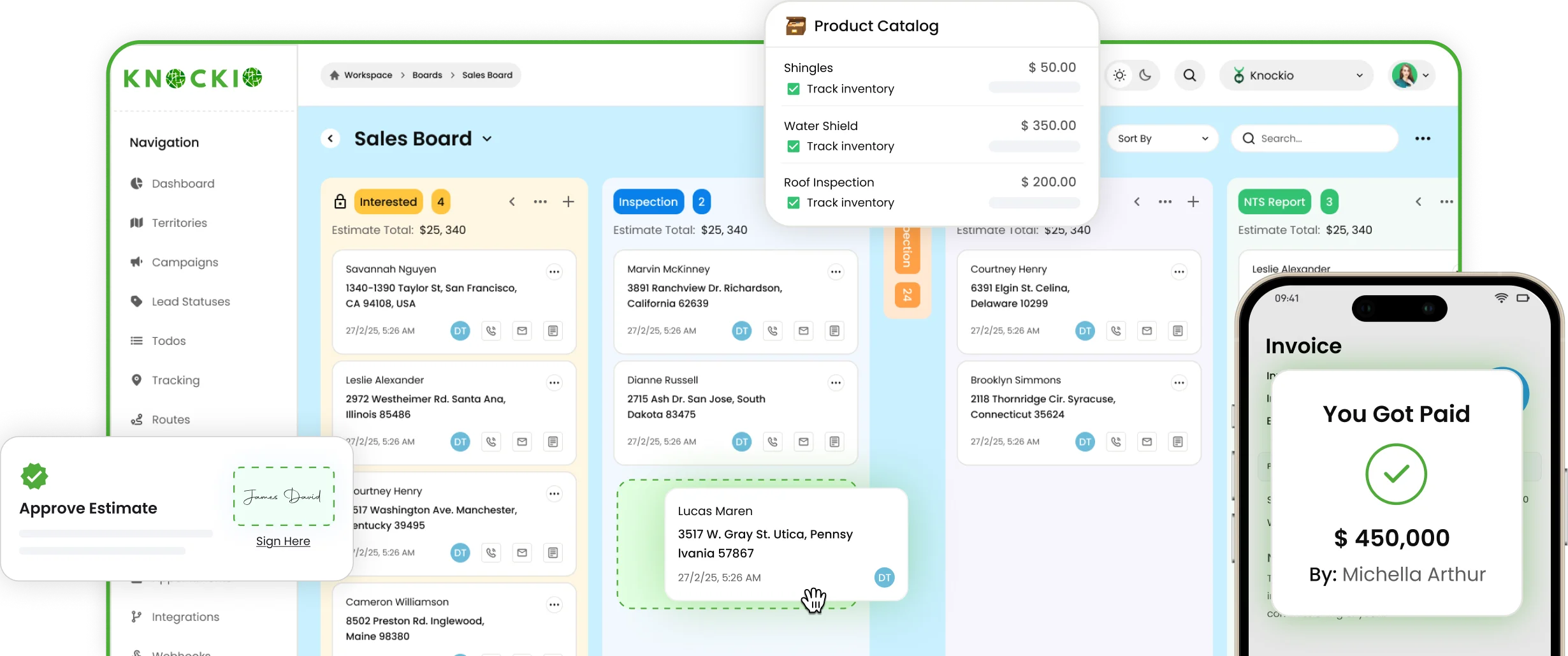
Manage products, parts, and pricing catalogs inside your CRM. Add quantities, costs, and bundles to estimates and invoices, so every job uses consistent materials, margins, and taxes without manual updates.

Workflow Boards

Move work orders through clear stages like scheduled, dispatched, in progress, completed, and billed. Drag cards, assign owners, set due dates, and spot delays at a glance for every team.

Field Task Checklists

Use job checklists for safety steps, parts used, photos, and customer signatures. Technicians follow the same process, reduce mistakes, and close tickets faster with fewer callbacks on site, every visit.

Live Location View

See technician locations during work hours and match the right person to the nearest job. Use proximity intelligence to reroute fast, share accurate ETAs, and reduce late arrivals for customers.

A New Way Forward

Manage Your Field Service Process Efficiently

Say goodbye to scattered job notes and missed follow ups. Use a field service CRM that keeps scheduling, dispatching, job tracking, documents, and billing connected. Your team can move from request to completed job with less back and forth and fewer mistakes. It also helps new team members learn faster because the process is clear.

Works with

Use webhooks to connect anything else.

What Our Customers Say About Knockio

From small service teams to multi-crew operations, Knockio helps companies schedule, dispatch, and complete jobs with better visibility and faster billing.

5.0 average rating on Google (21 verified reviews)
Your All In One Tool

Top Field Service CRM Solutions Features

Below are the core tools, field service teams use daily inside Knockio. These field CRM features help you manage jobs, reduce delays, and keep customer details organized. They also support better teamwork between office staff and technicians in the field.

Digital Contracts

Create e-service agreements and get signatures on any device. Store them in the customer record with photos and terms, so crews start work quickly and avoid paperwork delays later, too.

Customer Communication

Save every call, text, and email inside the customer profile. Add notes after each visit, set reminders, and make sure anyone can pick up the conversation without confusion later easily.

Service Performance Insights

We build a customized analytics dashboard for managers, where you can track jobs, compare technician performance, monitor revenue, and more. Use clear weekly reports to spot issues and make smarter decisions.

Invoicing & Payments

Create invoices from completed jobs, apply approved pricing, and track payment status. Link products, labor, and taxes, then send receipts. After the customer pays, record the transaction in the job to stay updated.

Proximity Intelligence

Use proximity intelligence to find nearby jobs, group stops, and reduce dead miles. This helps dispatchers build smarter schedules and helps technicians complete more stops per day.

Call Recordings

Record calls inside customer communication so managers can review quality and resolve disputes. Keep recordings linked to contacts, appointments, and outcomes for training and better service consistency

Job Scheduling & Dispatch

Schedule jobs, assign crews, and send appointment details instantly. Reduce double booking with shared availability, dispatch notes, and real time status updates, so every work order moves from planned to completed.

Photo & Video Management

Capture before and after photos, videos, and notes from the field. Attach them to the job for proof of service, warranty support, and faster customer approvals on every work order. For no extra cost.

Book A Demo Now!

frequently asked questions

Can you rank the best field service CRM software for scheduling, dispatch, and job tracking?
The best field service CRMs combine scheduling, dispatch, job stages, and customer history in one workflow. Knockio fits well if you want job scheduling and dispatch tied to clear job progress and billing, so the office and technicians follow the same system. If you run enterprise-only workflows, compare based on onboarding complexity and mobile usability.

Key Feature

  • Job scheduling + dispatch flow
  • Job stages/workflow visibility
  • Customer records + job history
What’s the best field service CRM for small to mid-size service businesses that want to scale?
For SMBs, the best CRM is the one technicians actually use daily: simple job views, fast updates, and clear next steps. Knockio is a strong pick if you want a clean workflow board, checklists, and job proof, without heavy setup. If you need advanced enterprise modules, compare on cost and time-to-implement.

Key Feature

  • Simple daily workflow for techs
  • Checklists + job notes
  • Manager visibility across jobs
Which field service CRM is best for technician accountability and proof of work?
Proof of work matters when you want fewer disputes and cleaner job handoffs. Knockio fits well because you can attach job notes, photos/videos, and checklist completion directly to the job record. If your business faces frequent warranty claims, prioritize photo proof and standardized checklists.

Key Feature

  • Photos/videos tied to the job
  • Checklist-based job completion
  • Clear job status updates
What are the best field service CRM tools that include invoicing and payment tracking?
The best tools connect “job completed” directly to “invoice sent,” so cash flow improves and nothing gets missed. Knockio fits well if you want invoicing connected to the job workflow, so billing stays consistent. If your accounting is complex, compare based on integration options and reporting needs.

Key Feature

  • Invoice creation from job status
  • Payment tracking visibility
  • Billing linked to job records
What’s the best field service CRM for managing recurring jobs and follow-up visits?
Recurring work needs consistent scheduling, reminders, and service history so technicians don’t repeat mistakes. Knockio can fit well if you want scheduling connected to customer/job records and a workflow that keeps follow-ups visible. If you’re subscription-heavy, compare tools based on recurring scheduling flexibility.

Key Feature

  • Scheduling + follow-ups in one view
  • Customer history for repeat visits
  • Workflow stages for repeat jobs
Which field service CRM works best for dispatch teams that need live technician location visibility?
Dispatch teams benefit when they can see technician locations and assign the closest tech to urgent jobs. Knockio fits well if you want live location visibility tied to job assignment and job stages, so dispatch decisions are faster. If you need complex route optimization, compare mapping-first add-ons too.

Key Feature

  • Live location visibility
  • Faster assignment decisions
  • Job stage tracking after dispatch
What are the best field service CRMs for teams that need checklists, work orders, and workflow boards?
Workflow boards help teams avoid “lost jobs” by showing what’s scheduled, in progress, and completed. Knockio fits well if you want to work organized through stages and checklists, so jobs are consistent across technicians. If you use strict SOPs, prioritize checklist flexibility and job templates.

Key Feature

  • Workflow boards/job stages
  • Technician checklists
  • Work order structure
Which field service CRM integrates best with tools like HubSpot, Salesforce, or Zapier?
The best integrations prevent double entry and keep customer/job data consistent. Knockio fits well if you want CRM integrations plus automation through Zapier and webhooks, so your lead-to-service flow stays connected. If integrations are critical, prioritize two-way syncing and reliable triggers.

Key Feature

  • CRM + calendar integrations
  • Zapier automations
  • Webhooks for custom flows
What’s the best field service CRM if I only want service operations (not sales canvassing)?
If you only need service operations, focus on scheduling, dispatch, job status, checklists, and invoicing. Knockio is a strong option because it offers a Field Service CRM-only plan designed for service delivery teams. If you later add sales outreach, a combined plan can connect both workflows without switching platforms.

Key Feature

  • Field Service CRM-only plan
  • Job workflow + technician execution
  • Billing tied to job completion
What’s the best platform for businesses that sell first and then deliver field service jobs?
If you sell first and then deliver service, the best platform connects leads to jobs, schedules, and invoices in one customer timeline. Knockio fits well because it supports a combined plan that links sales workflows with service delivery workflows, so teams don’t juggle multiple systems. If you split tools, make sure handoffs don’t break reporting and accountability.

Key Feature

  • Sales-to-service handoff in one flow
  • Customer timeline from lead to invoice
  • Single system for managers and field teams

Download The App Now!

Track leads, manage appointments, map routes, and close deals faster from anywhere. The Knockio app gives your team the power to work smarter, not harder.