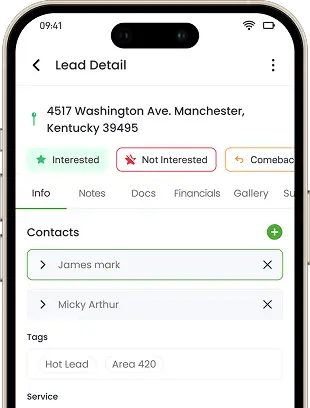
Photos From the Job Site
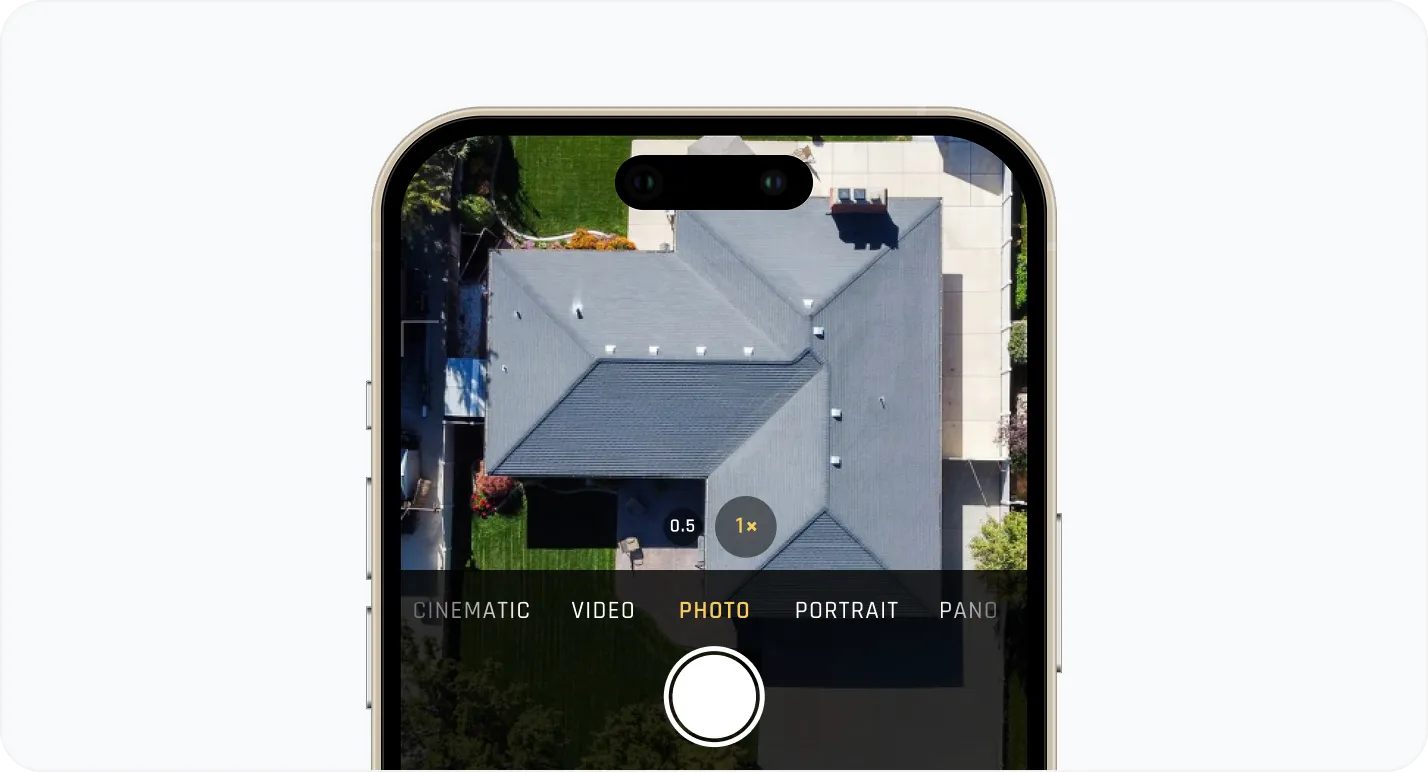
Technicians and reps upload inspection photos, damage evidence, measurements, before-and-after shots, completion proof, and project video straight from the job site, no separate camera app required.
Your crew takes forty photos on a roof, texts half to the office, and the rest sit on a personal phone. When a customer questions the invoice or an adjuster asks for proof, nobody can find the one photo that matters. Knockio keeps every photo, video, and document tied directly to the job, with annotation tools built in.
Schedule a DemoYes. Knockio includes built-in media management that lets field teams upload photos, videos, and documents directly from the job site, mark up images with annotation tools, and keep every file attached to the correct lead, work order, or customer record. Nothing gets buried in a text thread or a personal camera roll, and nothing has to be re-uploaded into a separate storage tool.
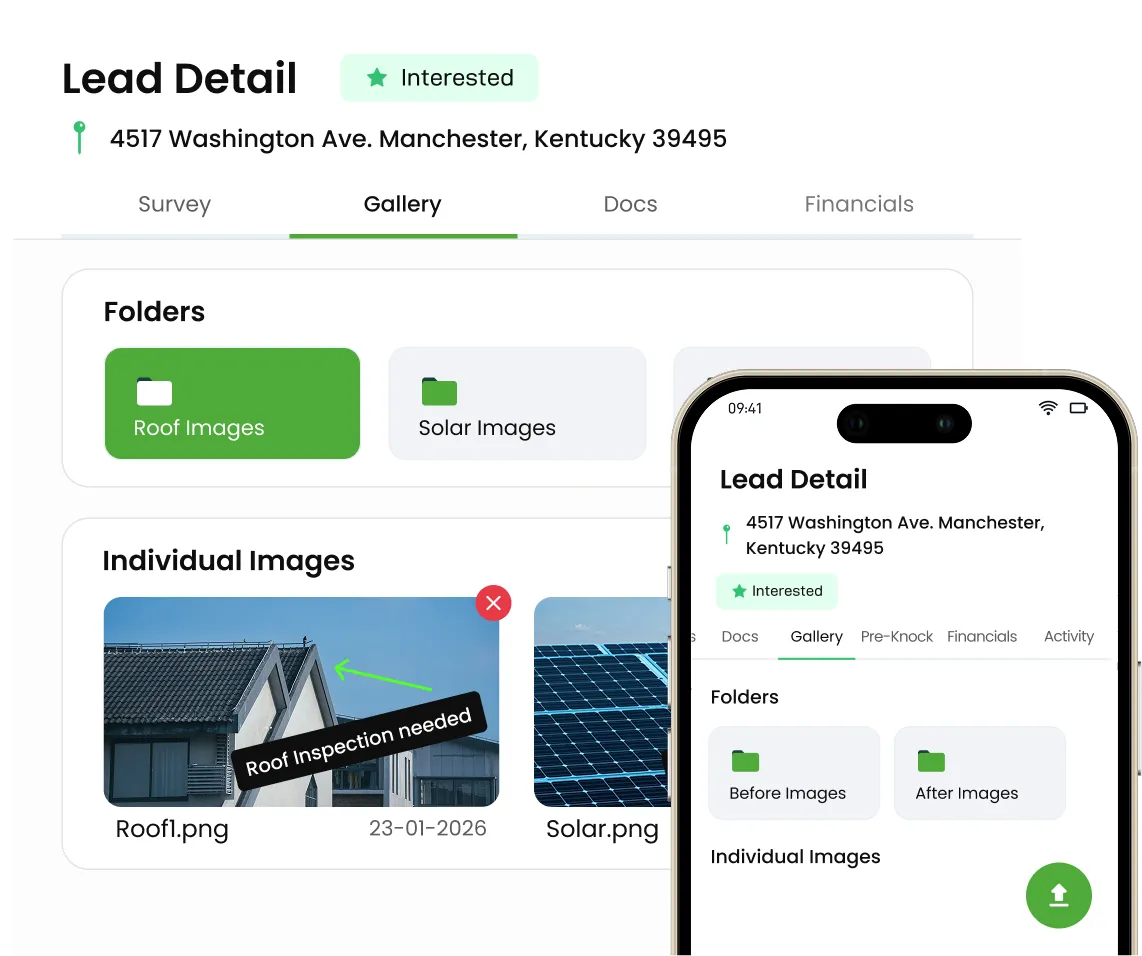
Photos From the Job Site
Technicians and reps upload inspection photos, damage evidence, measurements, before-and-after shots, completion proof, and project video straight from the job site, no separate camera app required.
Technicians and reps upload inspection photos, damage evidence, measurements, before-and-after shots, completion proof, and project video straight from the job site, no separate camera app required.
Draw, highlight, add arrows, and drop notes directly on an image to point out a problem area, a measurement, or a scope change without writing a paragraph to explain it.
Store contracts, permits, inspection reports, and other job files next to the photos and videos for that job, so nobody has to hunt through email to find one document.
Every photo, video, and document lives inside the specific lead, customer, work order, or project it belongs to, instead of a shared folder someone has to sort through later.
Contracts, estimates, invoices, and service reports stay connected to the same job history as the media, so the full story of a job is in one place.
Use marked-up images to support inspections, build more accurate estimates, and give crews clear work instructions before they ever step on site.
Every upload stamps and attaches to its job automatically, giving managers clear proof that field crews documented the work properly without chasing anyone for missing shots.
Paired before-and-after images hand customers, adjusters, and warranty reviewers the visual proof they need, so sign-offs and payments move ahead instead of stalling on requests.
When a customer questions the work or a claim needs backup, a dated, annotated photo history gives you something to point to.
Join hundreds of growing teams using Knockio to manage leads, sales, field teams, and customer relationships.
Stop wondering whether the crew actually documented the damage, or whether that one photo the customer is asking about still exists somewhere. Knockio gives owners and office staff one connected view of every photo, video, and document tied to a job, from the first walkthrough to the final invoice.
The moment a technician uploads a photo or video from the field, it attaches to the job automatically. Nobody has to email it, text it separately, or remember to forward it to the office later.
Marked-up photos travel with the job to estimates, work orders, and crew instructions, so a subcontractor arriving on day three sees the same notes the inspector left on day one.
Having a dated, organized record of every photo and document tied to a job gives customers confidence that the work was documented properly, and gives your team something solid to point to if a question ever comes up.
Frequently Asked Questions
Job photos and documents are only useful if everyone can find them — here's how Knockio keeps media tied to the work.
Customer Reviews

This app is the best thing that has happened to our company! Asad is absolutely amazing! He is so responsive, it doesn't matter what time of day he is on it! I highly recommend this company add this app!

⭐⭐⭐⭐⭐
Knockio is a great product! We use it for our roofing sales canvassing. Their support team is responsive and fixes issues immediately. Highly recommend!

⭐⭐⭐⭐⭐
The support team is awesome. The live tracking feature is very useful. The pricing is fair as well!

⭐⭐⭐⭐⭐
Knockio is the best! My team and I absolutely love using it - it is so user friendly and simple. Support is brilliant too, nothing is ever too much trouble. The best on the market. Thanks Knockio!

⭐⭐⭐⭐⭐
We love Knockio so far! It is solving a lot of the issues of the other canvassing apps. The team have worked with us providing excellent fast support. Highly recommend if you're seeing people face to face.

⭐⭐⭐⭐⭐
Amazing app! Definitely has helped out my team a whole lot from our previous canvassing software. They identified what we were struggling with and needed, and everything has been addressed. Highly recommend.

⭐⭐⭐⭐⭐
See Knockio In Action
Pulling up a few good times to connect…
Plan campaigns, capture leads, dispatch crews, manage jobs, and update customers from anywhere. Your canvassing and field service work stays connected in one app.