Pulling up a few good times to connect…
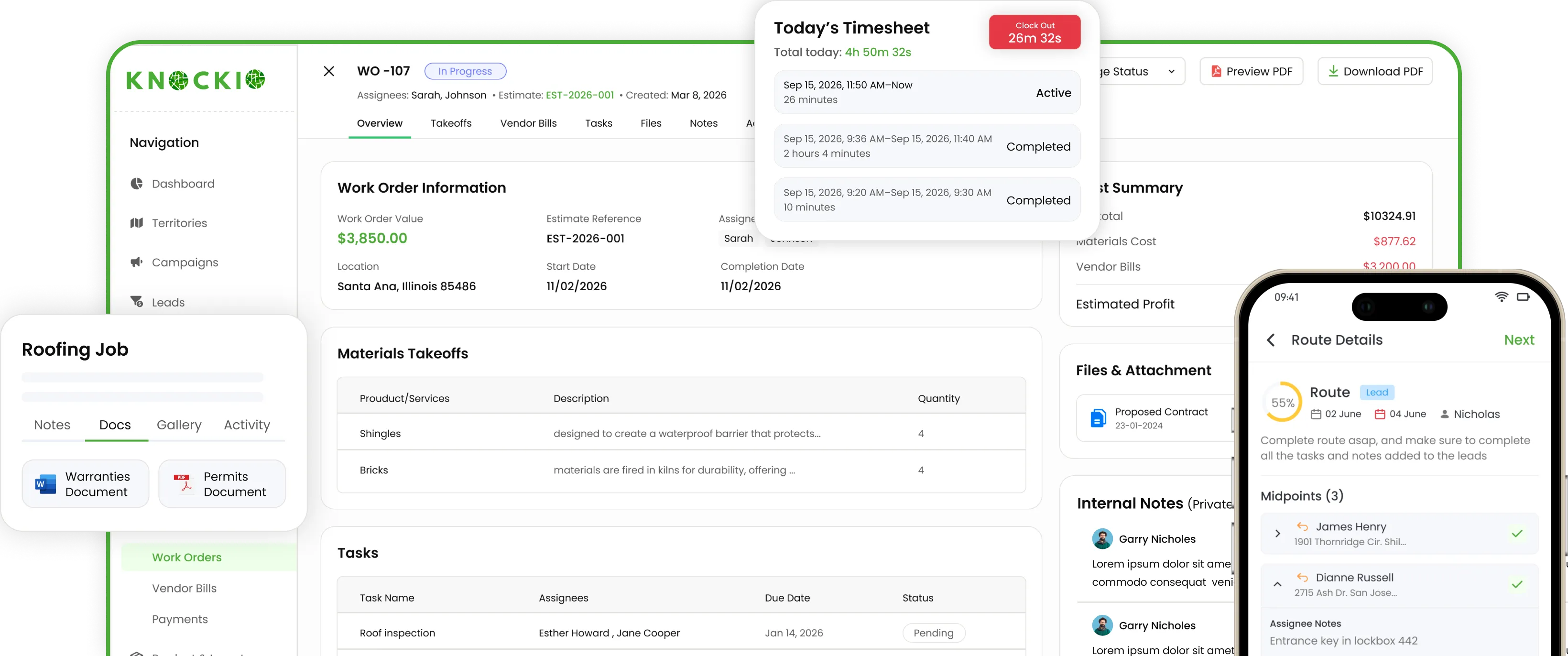
Knockio's field service management software connects crew schedules, work orders, materials, and job costs so you can prepare each visit and follow the work through completion. Check team availability, build material takeoffs, assign subcontractors, and compare spending against the budget. Whether you run repairs, recurring maintenance, or installations with several phases, give your office and field teams the details they need to keep the job moving.

A missing part, an unavailable technician, or an unrecorded scope change can disrupt the whole day. Knockio brings scheduling, purchasing, field documentation, and billing into the same service workflow, helping your team spot what needs attention before the next visit.
Plan service calls around the people needed to complete them. Check availability for every selected team member across the full appointment duration, then assign technicians with the location and job instructions attached.
Build work orders from approved estimates, carrying the agreed scope and pricing into production. Assign tasks with owners, deadlines, reminders, and priorities, then coordinate internal crews, subcontractors, and vendors around the work.
Build a material takeoff from your catalog and check how much stock a job requires. When quantities fall short, create a purchase order directly from the takeoff and receive new materials into inventory. Connected inventory management includes low-stock thresholds, product variants, SKUs, costs, markup, and billing units.
A job's selling price tells only part of the story. Compare the budget with actual labor, materials, and spending while work is still underway. Attach supplier and subcontractor bills to the relevant work order, keeping their line items, dates, and notes connected to its costs.
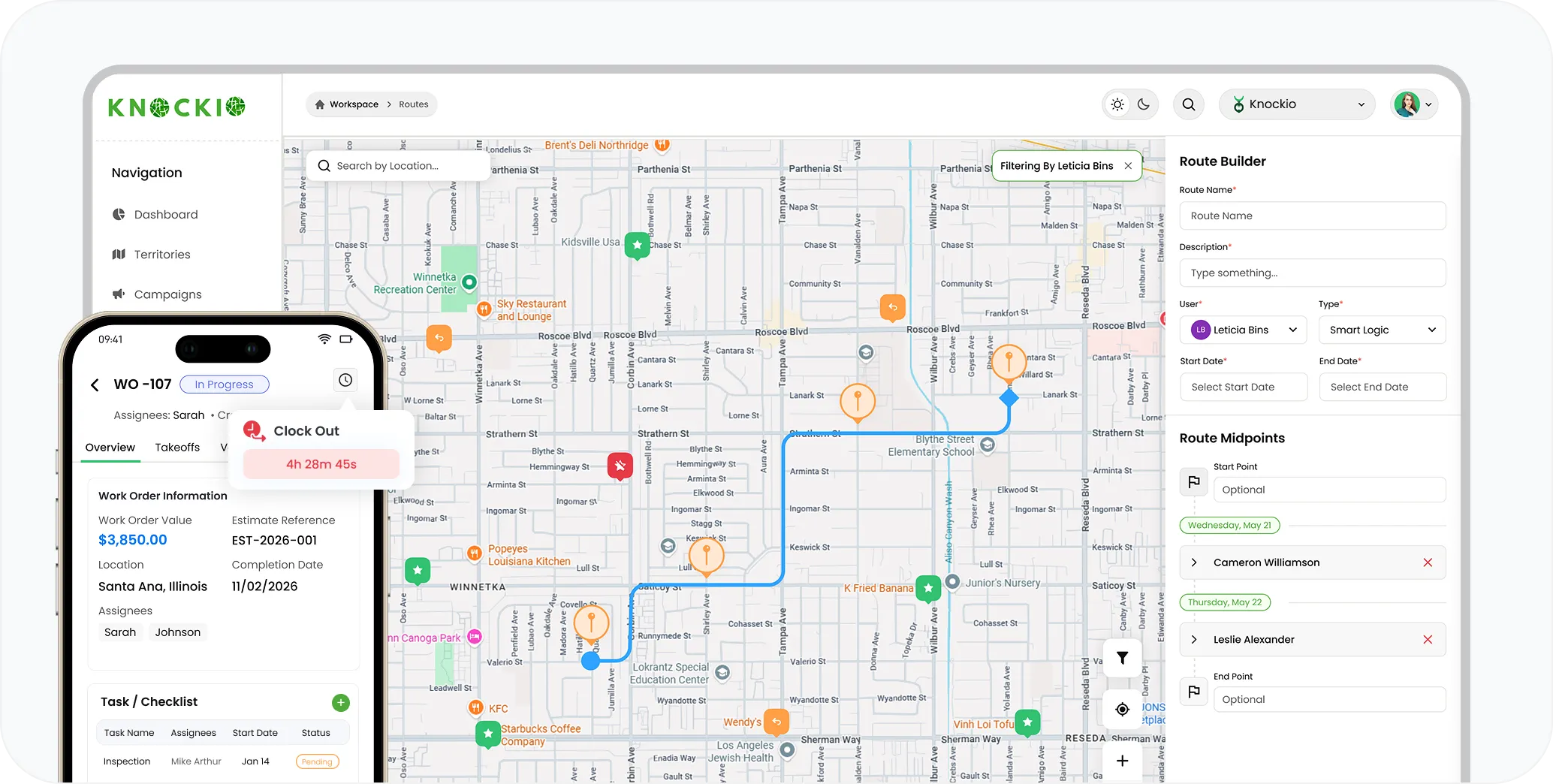
Use route planning and dispatching to organize visits by distance and traffic conditions, or arrange the stop order manually. Control whether field users can change that sequence and follow completed, active, and outstanding stops.
Document the condition of a site, the work performed, and anything that needs another visit. Capture photos and videos, annotate images with arrows or notes, and retain location information when photos are taken through the mobile app.
Record working hours in the same app your team uses in the field. Employees clock in and out, while managers review daily, weekly, and monthly totals through team timesheets. Authorized users can correct an existing entry without creating a duplicate session.
When a repair or installation changes, document the revised scope and pricing through change orders linked to the original estimate. Manage approval of those changes and retain signed agreements with the job.
Manage ongoing service with reusable agreement templates, electronic signatures, and recurring appointments. Contract audit trails record viewing and signing events, while subscription billing creates invoices according to the billing schedule you set.
Choose the plan that matches your service operation, with volume pricing starting at five users. Knockio offers monthly billing, prorated charges, and no setup fee or long-term contract.
For service teams managing scheduled work, materials, and billing.
$35/user/month for 1–4 users
For teams that need the service tools above alongside broader field coordination and workspace controls.
$60/user/month for 1–4 users
Feature availability varies by plan. The plan comparison shows the full inclusions and optional add-ons.
Connected service operations
On an installation, the office may need to order parts, schedule two crews, approve additional work, and account for a subcontractor's bill. Knockio connects those activities to the job so each team can work from the relevant details. Add automation and reporting to help managers follow the work and act on the information being recorded.
Schedule a DemoUse the visual automation builder to configure triggers, conditions, and actions without coding. Create tasks or appointments when work reaches a selected stage, send reminders, and share service progress updates.
Build reports using rules and filters that match the questions you need to answer. Review field activity, recorded payments, and outstanding amounts alongside work-order budgets.
Use Zapier, FlowChef, or supported API and webhook connections to exchange information with other business tools. As operations expand, plan-dependent workspaces and custom permissions help organize separate teams while controlling access.
Frequently Asked Questions
Understand how Knockio handles daily service work, complex installations, and ongoing maintenance.
Customer Reviews

This app is the best thing that has happened to our company! Asad is absolutely amazing! He is so responsive, it doesn't matter what time of day he is on it! I highly recommend this company add this app!

⭐⭐⭐⭐⭐
Knockio is a great product! We use it for our roofing sales canvassing. Their support team is responsive and fixes issues immediately. Highly recommend!

⭐⭐⭐⭐⭐
The support team is awesome. The live tracking feature is very useful. The pricing is fair as well!

⭐⭐⭐⭐⭐
Knockio is the best! My team and I absolutely love using it - it is so user friendly and simple. Support is brilliant too, nothing is ever too much trouble. The best on the market. Thanks Knockio!

⭐⭐⭐⭐⭐
We love Knockio so far! It is solving a lot of the issues of the other canvassing apps. The team have worked with us providing excellent fast support. Highly recommend if you're seeing people face to face.

⭐⭐⭐⭐⭐
Amazing app! Definitely has helped out my team a whole lot from our previous canvassing software. They identified what we were struggling with and needed, and everything has been addressed. Highly recommend.

⭐⭐⭐⭐⭐
See Knockio In Action
Pulling up a few good times to connect…
Plan campaigns, capture leads, dispatch crews, manage jobs, and update customers from anywhere. Your canvassing and field service work stays connected in one app.