Selecting Clock In opens a single active session
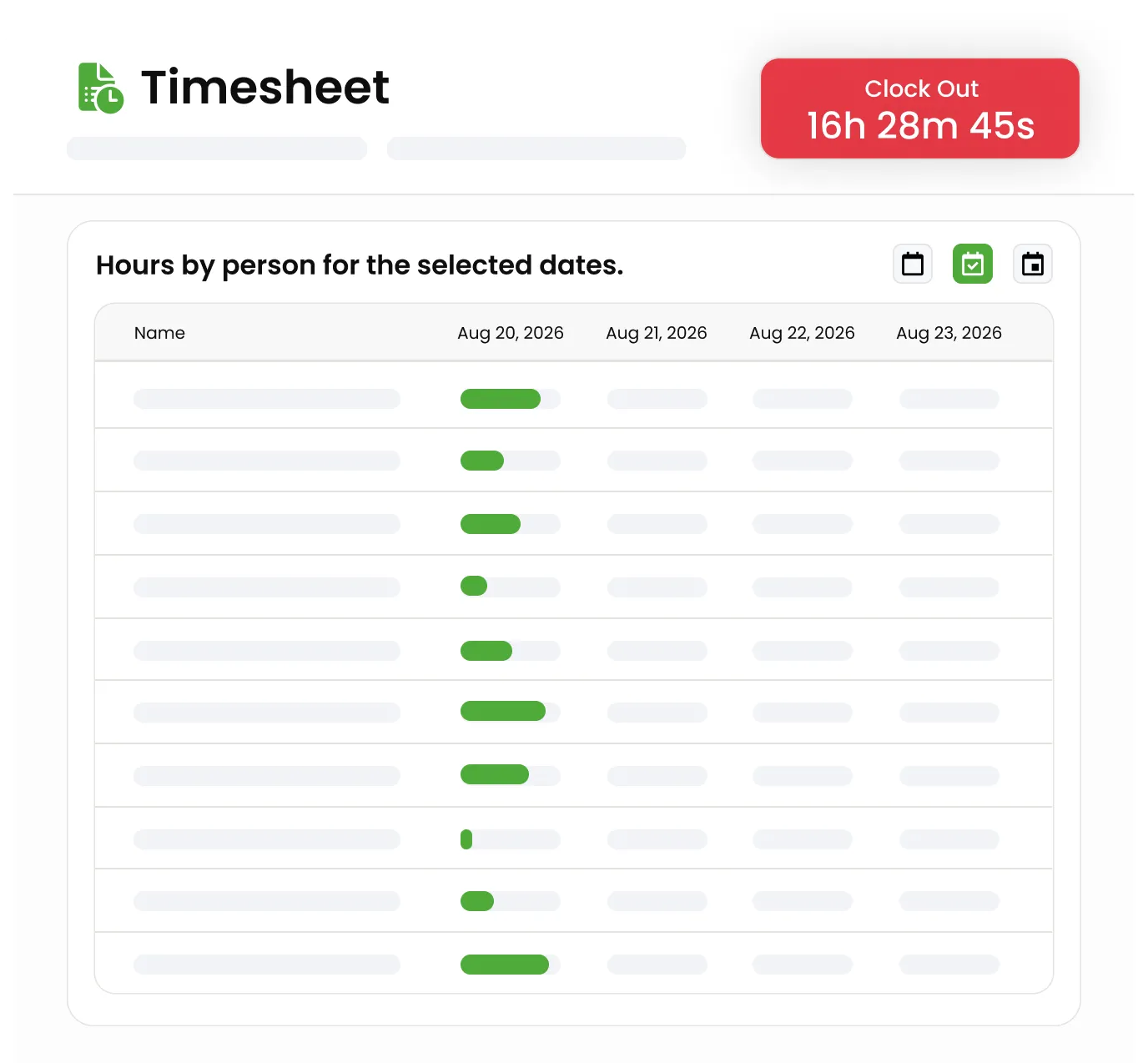
Selecting Clock In opens a single active session, so time starts tracking the moment work does. A user can't open a second session while one is already running.
Time tracking shouldn't live in a punch-clock app your crew forgets to open. Knockio's timesheet works as a clock in clock out app right inside the same workspace reps already use for canvassing, jobs, and dispatch, so they clock in, work, and clock out without switching tools. It covers both sides of a field business: a canvasser clocking in for a day of door-knocking and a service crew tracking hours on a job, on one timesheet. The session tracks itself while they work, and managers see daily, weekly, and monthly team hours without chasing anyone for a spreadsheet at the end of the week.
Schedule a DemoTimesheet software — sometimes called time tracking or online timesheet software — records the hours your team actually works. In Knockio it doubles as a simple clock in clock out app: a user selects Clock In to start one active work session, and while they're on the clock the timesheet shows the start time, the elapsed minutes, and the total worked today. When they select Clock Out, Knockio closes the session and saves a time entry with the clock-in time, clock-out time, work date, and duration. Entries read as Open, Closed, or Auto Closed, and authorized managers can review team hours by day, week, or month and correct entries when needed.
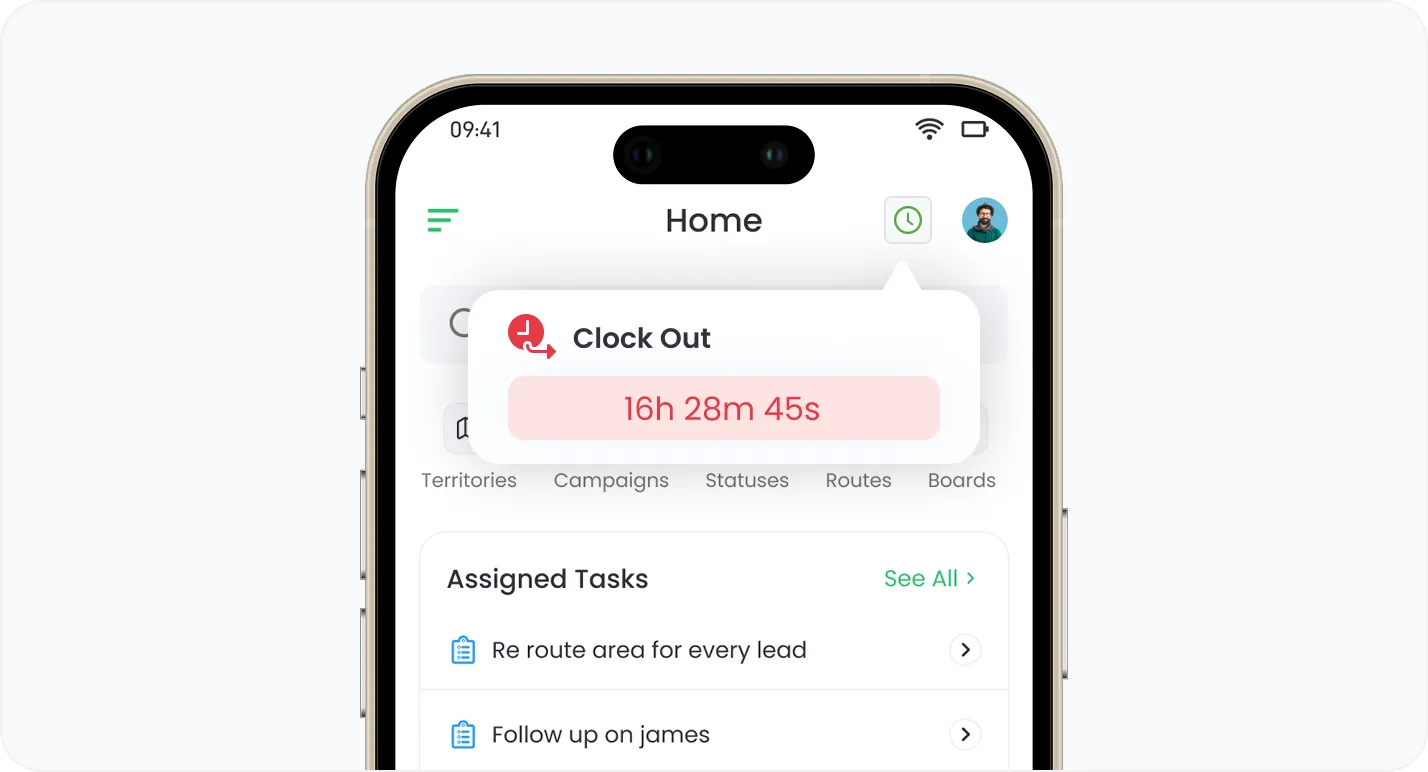
Selecting Clock In opens a single active session
Selecting Clock In opens a single active session, so time starts tracking the moment work does. A user can't open a second session while one is already running.
Selecting Clock In opens a single active session, so time starts tracking the moment work does. A user can't open a second session while one is already running.
While clocked in, the timesheet shows the session start time, the elapsed minutes, and the total worked so far today.
Clock Out closes the session and saves the clock-in time, clock-out time, work date, and duration as one clean time entry.
Review hours by individual day, across weeks, or at a monthly level, whichever the pay period needs.
See each team member's worked hours and session count, and filter down to the specific people you're reviewing.
Correct a wrong clock-in or clock-out by editing the existing entry, not by creating a duplicate session.
Timesheet View shows a user their own hours; Timesheet Full View lets managers see and filter the whole team.
The Check-In/Out permission controls who can start and end work sessions.
Update lets a user fix their own entries, and Full Update lets a manager correct team members' entries.
Reps start and end sessions in the same Knockio app they use for canvassing and jobs, not a separate time clock.
Turn on the clock-in requirement and a user must be clocked in before performing other workspace actions, so hours don't get missed.
Join hundreds of growing teams using Knockio to manage leads, sales, field teams, and customer relationships.
Timesheets in Knockio aren't a separate punch clock your team has to remember to open. Clock in, work, and clock out all happen in the workspace reps already use, and every session rolls up into the daily, weekly, and monthly totals a manager needs — timesheet management handled inside the same workspace, with corrections made right on the existing record.
Door-to-door canvassers and service crews track time in the same system, so the hours for everyone you dispatch and manage live in one place instead of a standalone app. It's the same clock whether the day is spent knocking doors or running jobs.
Daily, weekly, and monthly views show worked hours and session counts per person, so approvals don't wait on an end-of-week spreadsheet.
When someone forgets to clock out, an authorized manager edits the existing entry, so the record stays accurate without duplicate sessions.
Frequently Asked Questions
Time tracking touches payroll and trust, so it's worth knowing exactly how it works before you turn it on. Here's what teams ask most.
Customer Reviews

This app is the best thing that has happened to our company! Asad is absolutely amazing! He is so responsive, it doesn't matter what time of day he is on it! I highly recommend this company add this app!

⭐⭐⭐⭐⭐
Knockio is a great product! We use it for our roofing sales canvassing. Their support team is responsive and fixes issues immediately. Highly recommend!

⭐⭐⭐⭐⭐
The support team is awesome. The live tracking feature is very useful. The pricing is fair as well!

⭐⭐⭐⭐⭐
Knockio is the best! My team and I absolutely love using it - it is so user friendly and simple. Support is brilliant too, nothing is ever too much trouble. The best on the market. Thanks Knockio!

⭐⭐⭐⭐⭐
We love Knockio so far! It is solving a lot of the issues of the other canvassing apps. The team have worked with us providing excellent fast support. Highly recommend if you're seeing people face to face.

⭐⭐⭐⭐⭐
Amazing app! Definitely has helped out my team a whole lot from our previous canvassing software. They identified what we were struggling with and needed, and everything has been addressed. Highly recommend.

⭐⭐⭐⭐⭐
See Knockio In Action
Pulling up a few good times to connect…
Plan campaigns, capture leads, dispatch crews, manage jobs, and update customers from anywhere. Your canvassing and field service work stays connected in one app.