
Field Service
Invoicing Software
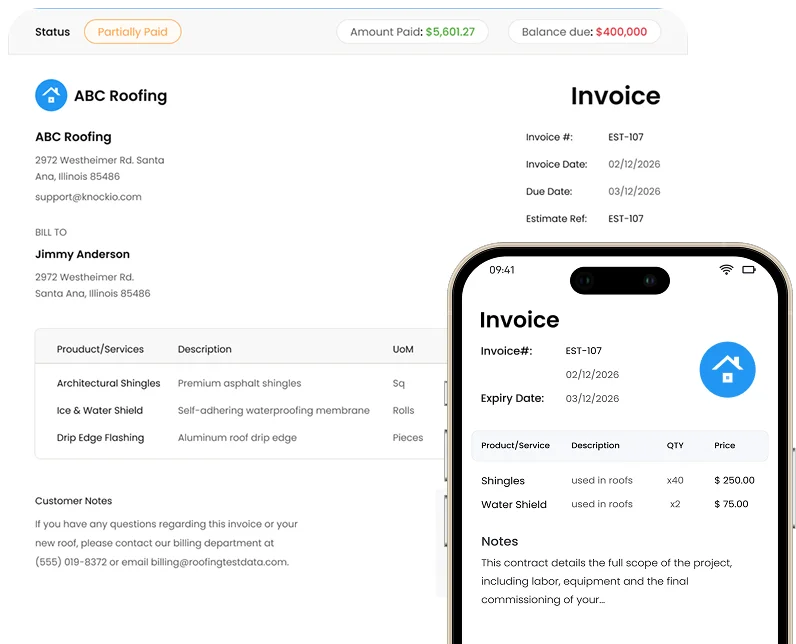
Most contractors lose money every single week because invoices go out late, get lost in someone's inbox, or take three platforms to create. Knockio fixes that. Build a professional invoice straight from a finished job, send it by text or email, and let your customer pay on the spot. No retyping. No re-entering job and billing information across disconnected systems.
Schedule a DemoWhat is the best invoicing software for home service businesses?
The best invoicing software for home service businesses pulls invoice details directly from the job, so nothing gets typed twice and nothing gets missed. Knockio creates invoices straight from a job, an approved estimate, or a customer record, then lets you send it by text or email with a payment link built in. Compared to platforms like ServiceTitan or Jobber, Knockio keeps invoicing, payments, and job history connected in one system, so you are not bouncing between tools just to get paid.
Everything You Need,
Built Into One Platform
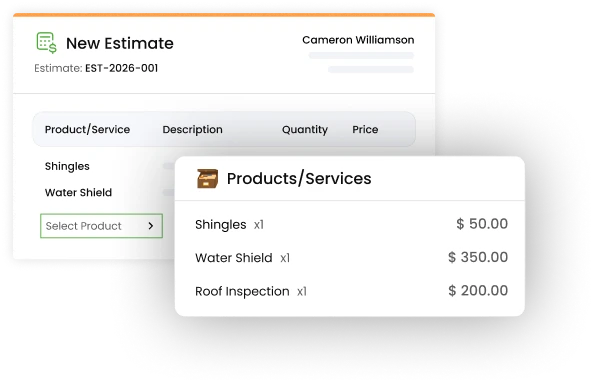
Line Items Pulled Straight From the Job
Pricing and scope flow from your estimate or work order into the invoice automatically. No retyping the same numbers three times across three apps.
Trusted by 100’s of customers
Join hundreds of growing teams using Knockio to manage leads, sales, field teams, and customer relationships.
Manage Billing From Completed Work
to Final Payment
Stop bouncing between a scheduling app, accounting software, and a payment processor that do not talk to each other. Knockio connects the entire job, from the first appointment to the final invoice, so nothing slips through and every dollar you earned actually gets collected.
Instant Invoice Generation
Turn a finished job, work order, or accepted estimate into a polished invoice in seconds. Built for roofing, remodeling, pest control, lawn care, pool maintenance, and any other home service business that needs to bill fast and bill right.
Automated Payment Reminders
Knockio's automation builder follows up on unpaid invoices with friendly text or email reminders, so your office staff is not stuck making the same uncomfortable phone call week after week.
Itemized Invoices Customers Actually Trust
Clear, itemized invoices with job photos and notes cut down on disputes and build long term trust. Whether you work with homeowners, property managers, or commercial clients, people pay faster when they understand exactly what they are paying for.
Frequently Asked Questions
Everything Teams Ask Before Using Knockio Service CRM
Service teams need more than a basic contact list. Knockio connects customer records, leads, jobs, estimates, schedules, crews, invoices, payments, and field updates. It helps sales, office, and field teams work from the same information, so jobs move faster with less confusion.