
Win More Painting Jobs with Less Admin
Painting Contractor Software
with CRM
Knockio helps painting contractors manage leads, customers, estimates, schedules, crews, invoices, and payments in one connected platform. From the first customer request to the final payment, your team can keep every painting job organized, track field activity, assign work, and move projects forward without messy spreadsheets or scattered tools. It works as painting contractor software, a painting CRM, and a field service management system built for teams that sell, schedule, and complete painting work every day.
Built for estimates, users, and project control
Manage Painting Leads,
Teams, and Projects
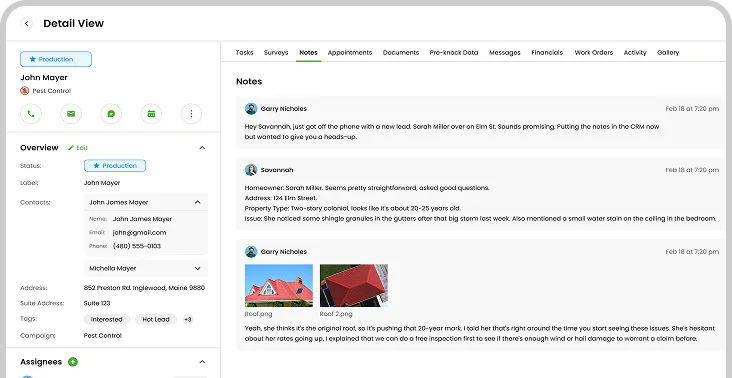
Knockio helps painting businesses manage lead capture, customer management, user management, role management, project notes, crew schedules, invoices, and follow-ups in one clear workflow. Office staff can book work faster, while painters get the right details before each job starts.
Lead Pipeline
Capture painting leads from calls, forms, referrals, campaigns, and door-to-door visits. Store contact details, project needs, property notes, and follow-up history.
User Roles
Manage sales reps, office users, crew leads, and painters with role-based access. Keep each person focused on the work they need to see.
Crew Schedule
Assign painters by project type, location, workload, and job stage. Keep interior, exterior, residential, and commercial projects easier to manage.
Project Data
Use better data management for customer notes, photos, documents, paint details, invoices, job history, and updates tied to each painting record.
Paint Job Estimates
Quote Painting Work with
Clear Scope
Create painting estimates using room count, surface size, prep work, labor, materials, paint type, add-ons, and pricing notes. Knockio helps teams create estimates, send clear proposals, review job value, and turn an approved estimate into scheduled work without losing project details.
Schedule a Demo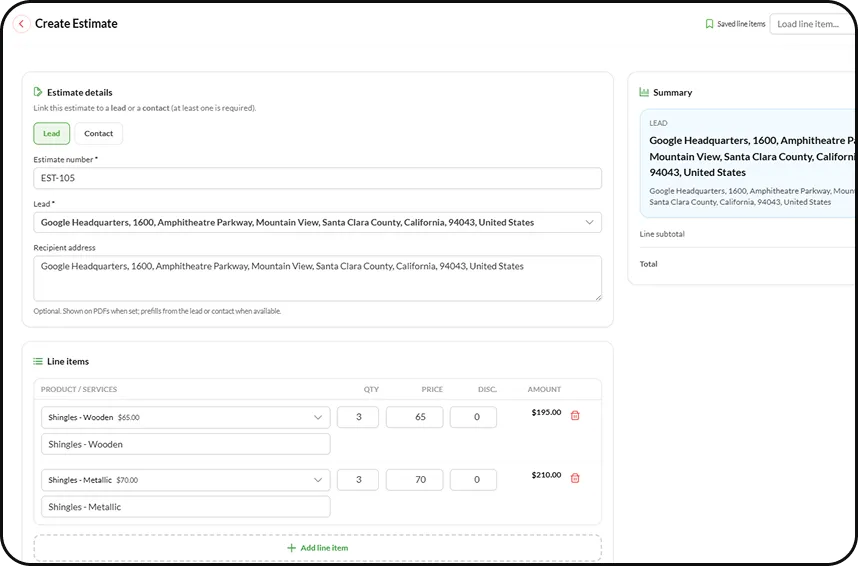
Crew Planning
Send Painters to the Right Job
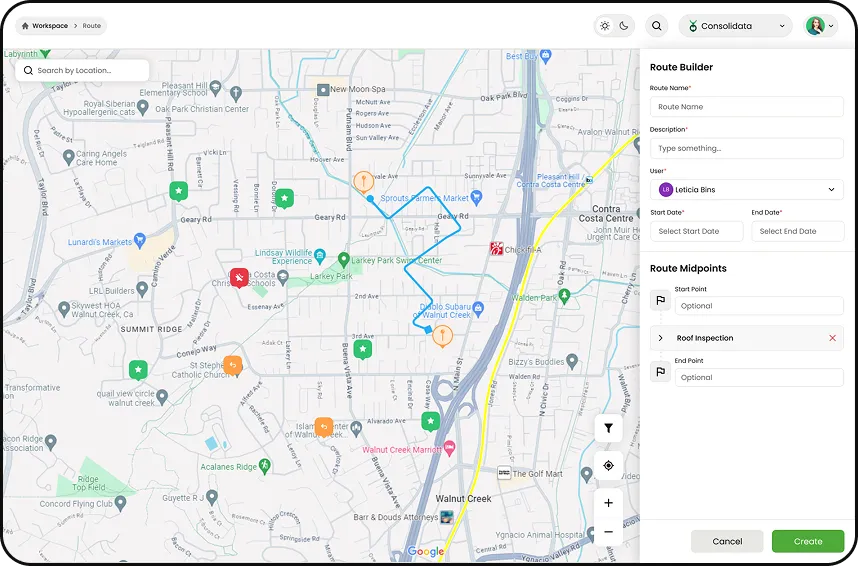
Knockio works as dispatching software for painting crews. Assign painters, share job notes, update schedules, and give managers a clear view of who owns each project, what prep is needed, and when the work is complete.
Assign Crews
Send painters to jobs with customer notes, property access, paint details, prep instructions, photos, task lists, and scheduled time.
Job Instructions
Share room notes, surface details, color choices, product needs, safety notes, and customer requests so crews arrive ready to start.
Invoice & Payments
Turn Finished Paint Work Into
Payments
Knockio helps painting companies create invoices, track payment status, and manage billing after repaints, touch-ups, exterior projects, cabinet jobs, and commercial work
From approved estimate to completed work, invoice, and payment, owners can see what was finished, what is due, and which customers still need follow-up.
Schedule a Demo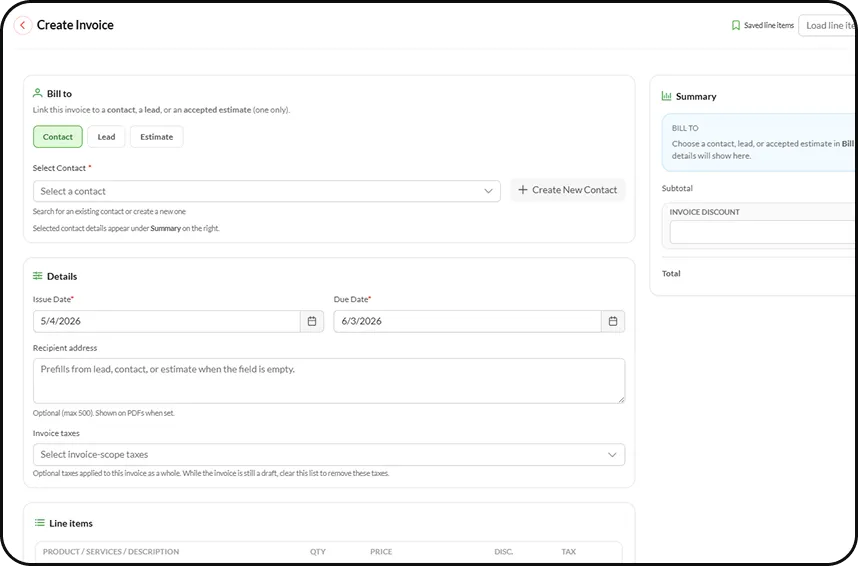
Keep sales, crews, and project updates connected
Smarter Painting
Workflows
Knockio combines painting sales software, field service CRM, and job management tools for teams that need better control over leads, estimates, crews, customer data, invoices, reports, and daily field activity.
1
Live Crew Tracking
Track sales reps and painters in real time with GPS tracking. See routes, site visits, location updates, field activity, and project progress.
2
Photo Records
Upload before-and-after photos, videos, documents, color notes, prep details, and customer approvals to keep each project record clear.
3
Paint Inventory
Track paint products, supplies, tools, categories, and materials used on each job so estimates, invoices, and planning stay more accurate.
4
E-Signatures
Send service agreements, collect signatures, store signed documents, and move approved paint projects into scheduling without paper forms.
5
Flow Automation
Use Knockio’s native Flow Builder to automate reminders, follow-ups, task updates, customer messages, job status changes, and field service rules.
6
Reports & Integrations
Review close rates, revenue, lead sources, crew activity, and job completion reports. Connect Salesforce, HubSpot, GoHighLevel, Google Calendar, Zapier, Flow Chef, API access, and other tools.
Common Questions