Trigger friendly email or text reminders the moment an invoice goes unpaid
Trigger friendly email or text reminders the moment an invoice goes unpaid, cutting overdue balances without a phone call.
Every home service business hits the same wall: someone has to remember to send the reminder, follow up on the unpaid invoice, schedule the next visit, and tell the customer the crew is on the way. Knockio's automation builder takes all of that off your plate. Set it up once and it runs in the background every time — whether you do 10 jobs a week or 200 — with no code and no developer.
Schedule a DemoYes. Knockio's automation builder lets you automatically send payment reminders for unpaid invoices, create follow-up tasks or appointments when a job status changes, send status-based updates to customers by email or text, and trigger purchase-order or low-stock alerts. All of it is built around your own custom job statuses, with no coding required.
Trigger friendly email or text reminders the moment an invoice goes unpaid
Trigger friendly email or text reminders the moment an invoice goes unpaid, cutting overdue balances without a phone call.
Trigger friendly email or text reminders the moment an invoice goes unpaid, cutting overdue balances without a phone call.
Automations run when an invoice is sent or goes unpaid.
Your team stops making the same collection call week after week.
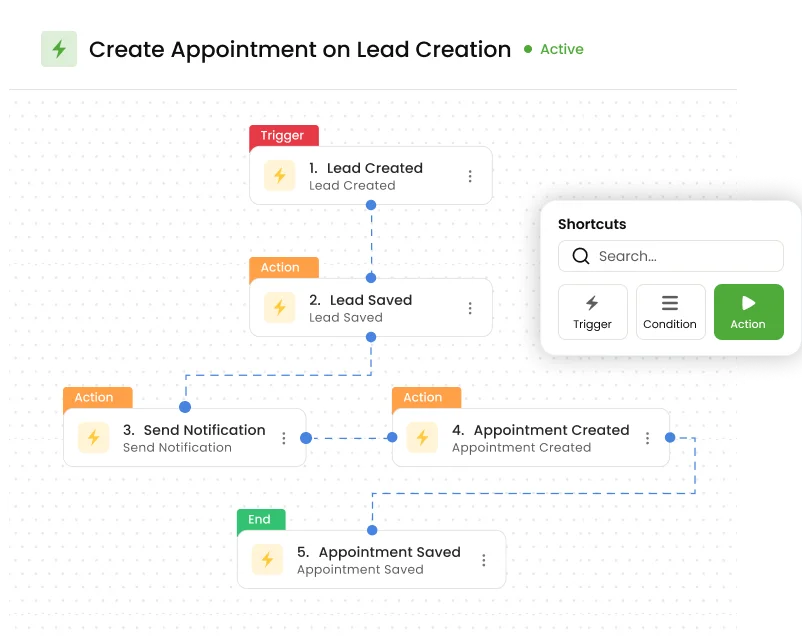
Auto-create a follow-up task the moment a job moves to a new status.
Create appointments automatically when the workflow calls for it.
The next step happens on its own, so nothing waits on someone remembering.
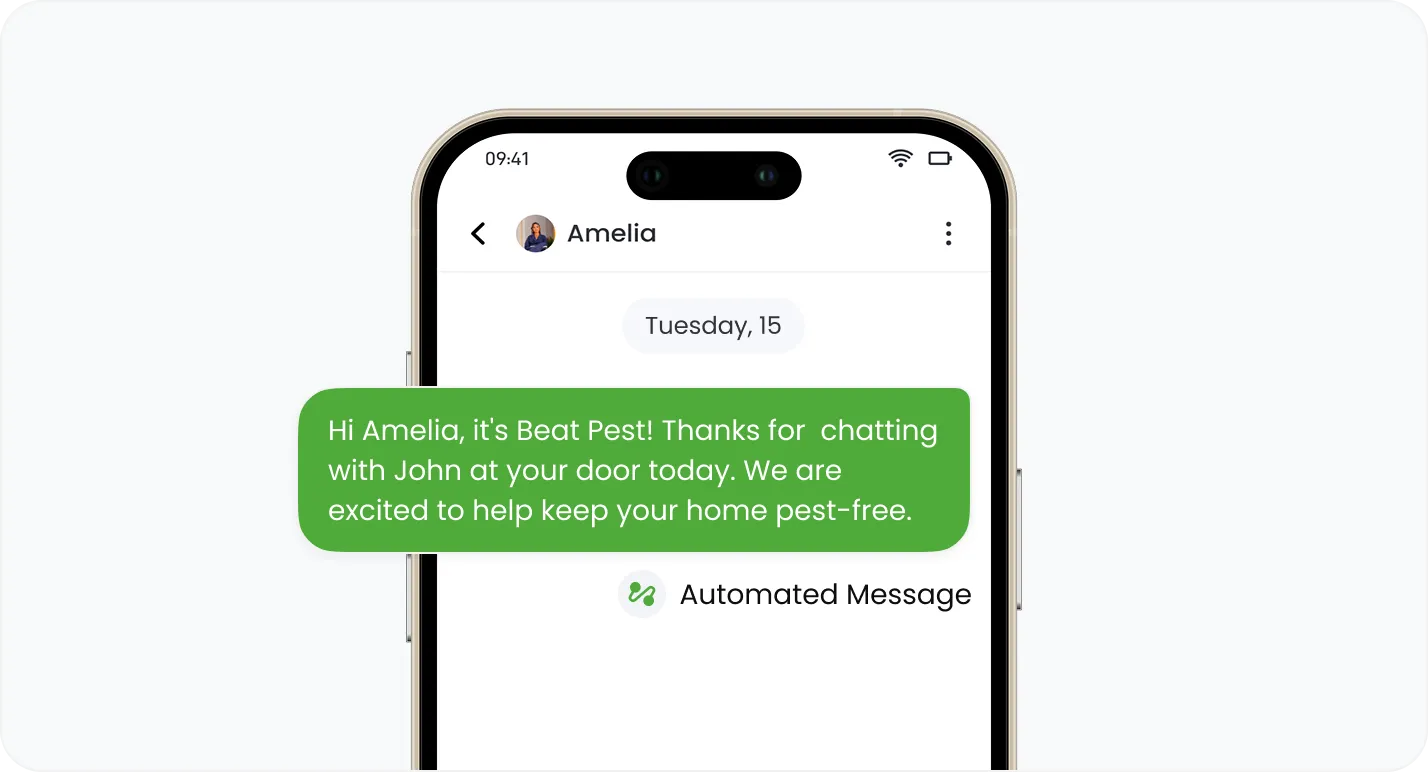
Send updates to customers by email or text as their job progresses.
Reminders and arrival alerts go out on schedule, no one lifting a finger.
Every touch feels responsive, building the reputation that earns referrals.
Fire an alert the moment stock runs low, so you reorder before a shortage stalls a job.
Every automation is built around your own custom job statuses.
The visual builder means you set it all up yourself.
Join hundreds of growing teams using Knockio to manage leads, sales, field teams, and customer relationships.
From the first job created to the final payment collected, Knockio's automation builder removes the manual follow-ups, reminders, and notifications that slow your office down — giving every home service business the operational muscle of a much bigger company.
Set automations to fire the moment a job status changes, an invoice goes out, or stock runs low, so the right action happens immediately without anyone needing to remember it.
Automatically follow up on pending estimates, unpaid invoices, and upcoming appointments by email or text, keeping your pipeline moving from first contact to final job.
Automated, timely updates make your business feel responsive and professional at every step, helping every trade build the reputation that earns repeat customers and referrals.
Frequently Asked Questions
Automation is where a small office starts to run like a big one. Here's what it can and can't do.
Customer Reviews

This app is the best thing that has happened to our company! Asad is absolutely amazing! He is so responsive, it doesn't matter what time of day he is on it! I highly recommend this company add this app!

⭐⭐⭐⭐⭐
Knockio is a great product! We use it for our roofing sales canvassing. Their support team is responsive and fixes issues immediately. Highly recommend!

⭐⭐⭐⭐⭐
The support team is awesome. The live tracking feature is very useful. The pricing is fair as well!

⭐⭐⭐⭐⭐
Knockio is the best! My team and I absolutely love using it - it is so user friendly and simple. Support is brilliant too, nothing is ever too much trouble. The best on the market. Thanks Knockio!

⭐⭐⭐⭐⭐
We love Knockio so far! It is solving a lot of the issues of the other canvassing apps. The team have worked with us providing excellent fast support. Highly recommend if you're seeing people face to face.

⭐⭐⭐⭐⭐
Amazing app! Definitely has helped out my team a whole lot from our previous canvassing software. They identified what we were struggling with and needed, and everything has been addressed. Highly recommend.

⭐⭐⭐⭐⭐
See Knockio In Action
Pulling up a few good times to connect…
Plan campaigns, capture leads, dispatch crews, manage jobs, and update customers from anywhere. Your canvassing and field service work stays connected in one app.