Landscaping Business Software
Landscaping covers a lot of ground, from recurring maintenance routes to full design-build projects with hardscaping, irrigation, and crews on site for weeks. Knockio is landscaping business software and CRM built to hold customer records, quote projects, schedule crews, track materials, and collect payment by milestone, all in one place instead of three apps that never agree.
Schedule a DemoWhat should landscaping companies look for in a CRM and project platform?
A landscaping company should look for a CRM that carries both sides of the business, the recurring maintenance route and the big design-build project. That means full customer and property records, recurring scheduling, detailed estimates, crew tracking, material and plant tracking, e-contracts, and milestone-based payment collection. Knockio handles all of it in one platform. It adds live GPS tracking with proximity intelligence and automated territory creation by zip code and city, so routes, crews, and project history live in the same record. That depth, plus affordable pricing and support that actually answers, is what a generic CRM built for another industry leaves out.

Why Landscapers Choose Knockio
Knockio helps landscaping contractors manage customer accounts, recurring routes, design-build projects, crews, materials, invoices, and payments. From a weekly maintenance stop to a months-long install, it all sits in one connected platform. Owners run maintenance and production without bouncing between three different tools.
Detailed Estimates for Maintenance and Design-Build
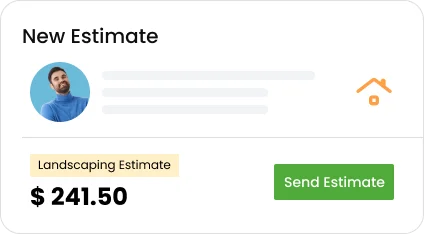
Land the project during every visit, log outcomes, add notes or quick voice notes, and move prospects into a clear CRM pipeline, so your whole team sees the full history and no promising lead ever slips through the cracks between seasons.
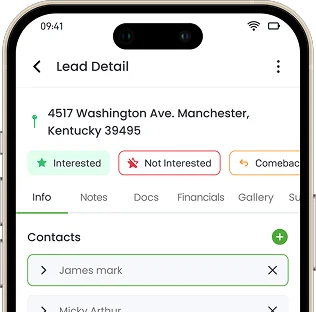
One Record Per Customer and Property
Each account holds the address, contacts, custom fields, property size, gate codes, photos, and a full history of every visit, so the crew shows up knowing the scope, the layout, and the spots the homeowner flagged on the walk-through.
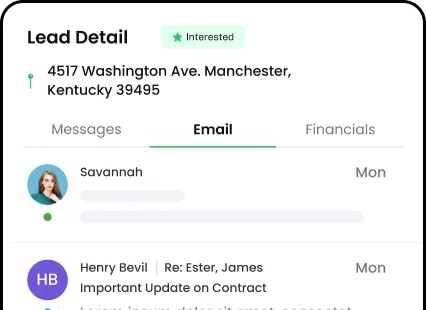
Communication History on Every Account
Every call, text, and email tied to a customer lands on the record, so when someone asks to adjust a plan or add a phase, the whole back-and-forth is right there instead of buried in a phone.
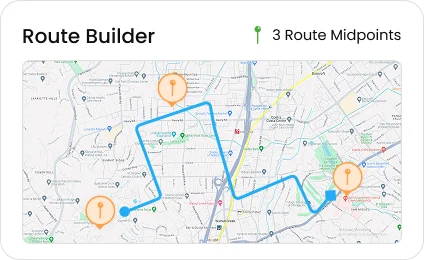
Recurring Routes and Project Scheduling
Run weekly maintenance routes and multi-week install projects from the same calendar. Recurring service builds itself out so the office is not rebooking by hand, while bigger projects move through their own stages.
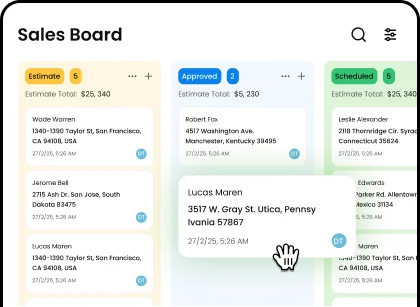
Crew Assignment and Job Stage Tracking
Move each project through clear stages like estimate, approved, scheduled, in production, and final cleanup. Statuses are fully customizable, and unlimited boards let the office and the crews each see the view they care about.
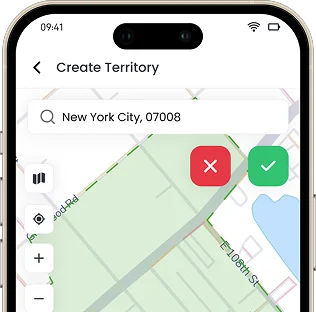
Automated Territory Creation by Zip Code and City
Carve your maintenance area into routes automatically from zip codes and cities, instead of mapping every boundary by hand. As you grow into a new part of town, you can stand up a route in minutes. Most landscaping tools simply do not do this.
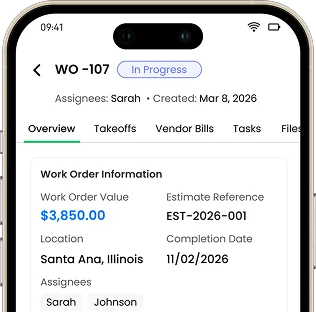
Work Orders With Budgets and Material Takeoffs
Track materials and costs from lead to service with notes, status updates, documents, customer details, photos, and clear next steps, so every landscaping project stays organized from first walkthrough to final invoice.
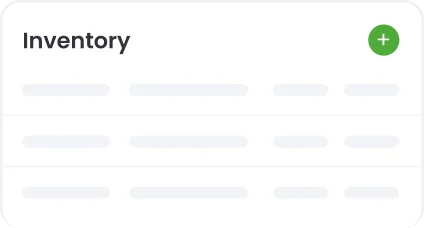
Inventory Management for Plants and Materials
Track products, variants, SKUs, cost, and markup for everything from sod to stone to sprinkler heads, with low-stock alerts so you reorder before a crew shows up to a job short on materials.
Vendor Bills and Material Purchase Orders
Raise a purchase order to your nursery or stone yard when stock runs low, then record the vendor bill against that purchase order or a work order, so what you spend at the supplier ties straight to the project and your margins stay honest.
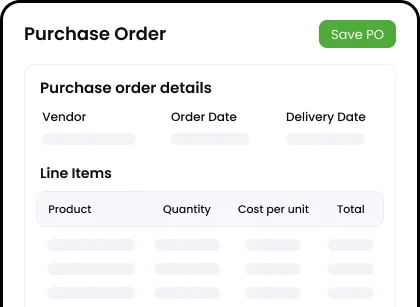
Photo Annotation for Scope and Progress
Snap photos at the walk-through and through each phase, then mark them up with notes and arrows right on the image, so the crew knows exactly what goes where and the homeowner sees the progress before each payment.
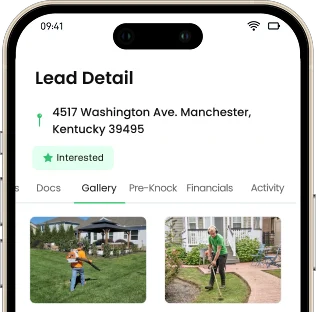
Job Notes and Site Survey Photos
Drop detailed notes on every visit and use built-in surveys to capture site conditions, drainage issues, plant health, or extra work spotted, saved straight to the customer account instead of a slip lost in the truck.
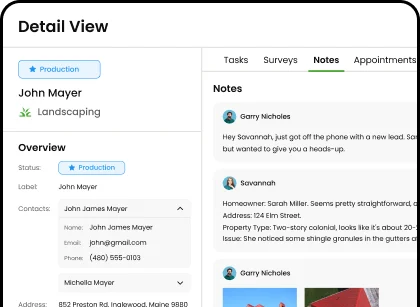
Centralized File Storage Per Project
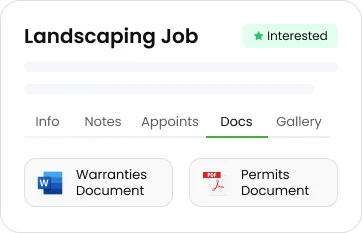
Keep design plans, permits, warranties, and signed agreements attached right to the project record, not scattered across email and a folder nobody can find when a question comes up next season.
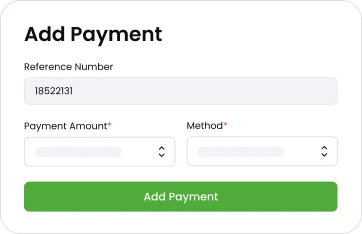
Milestone-Based Payment Collection
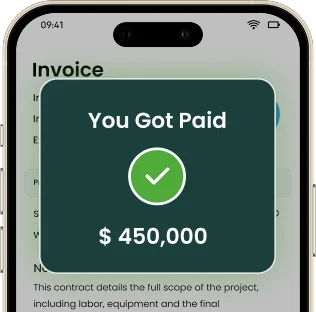
Collect a deposit up front, progress draws as each phase wraps, and a final balance at cleanup, all tied directly to the project. For a long design-build job, you get paid as the work moves instead of fronting materials and labor for weeks while you wait on one big check.
Digital Contracts With E-Signatures
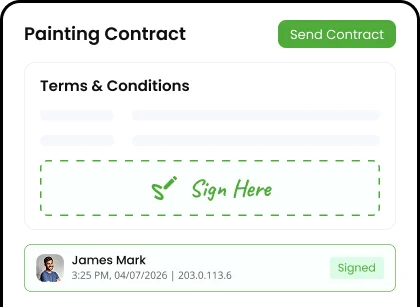
Send the project agreement for digital signature with a documented audit trail, so the scope and price are locked in with a clean legal record before the first plant goes into the ground. Change orders work the same way, so an added phase is logged and priced instead of argued over later.
Flexible Milestone Payment Methods
Collect through tap to pay, text to pay, card, or ACH, all through Knockio's own built-in payment processing, so whether the customer pays on site or later from their phone, the money always lands tied to the right project.
Run Maintenance and Builds From One Platform
Knockio pulls both halves of your landscaping business into a single system, so the recurring route and the design-build side are never working off different tools. Track crews, manage routes and projects, capture progress photos, automate follow-ups, and send digital contracts, all in one place.
Live Field Tracking
Monitor crews in real time with GPS tracking and proximity intelligence. It helps with routing, accountability, and knowing exactly who is on which job right now.
Learn MoreNative Automation Builder
Build your own automations without code: send a deposit request when an estimate is approved, text the homeowner when a crew is on the way, or trigger a milestone invoice when a phase is marked done. The office stops chasing the same tasks by hand.
Learn MoreProject History and Media
See every project's annotated photos, design plans, and notes in one view, so the office and the crews are looking at the same record instead of asking each other for it.
Learn MoreE-Contracts
Send professional e-contracts, collect signatures, and keep each approved deal connected to the right customer, job, and payment record.
Learn MoreCRM Integrations
Link Knockio to Salesforce, HubSpot, Google Calendar, and GHL, then connect thousands more apps via Zapier, FlowChef, and webhooks, so project data lives in one system.
Learn MoreTeam Communication
Knockio connects estimators, install crews, and the office on the same project record through assignees and internal notes, so phase updates reach the right people.
Learn MoreFrequently Asked Questions
Everything Landscapers Ask Before Switching to Knockio
Switching software is a real decision when your whole route, project history, and billing live inside it. Here are the questions landscaping contractors ask most before making the move.
Trusted by 100’s of customers
Join hundreds of growing teams using Knockio to manage leads, sales, field teams, and customer relationships.